Alexa Routines: Your Smart Home Energy Efficiency Ally
Alexa Routines offer a powerful, yet often overlooked, tool for optimizing your home’s energy consumption. Moving beyond simple voice commands, Routines string together a series of actions triggered by a single command or a pre-determined schedule, allowing you to automate energy-saving behaviors seamlessly. This detailed guide explores how to leverage Alexa Routines to significantly reduce your electricity bills, promote sustainable living, and enhance your smart home experience.
Understanding the Power of Automation for Energy Savings
Manual energy conservation efforts, while valuable, often fall short due to forgetfulness or inconvenience. Routines remove these obstacles by automating tasks like switching off lights, adjusting thermostat settings, and powering down electronics when they are not in use. By proactively managing your energy usage, you can minimize wasted energy and lower your carbon footprint.
Core Concepts of Alexa Routines for Energy Efficiency
Before diving into specific examples, it’s essential to understand the fundamental components of an Alexa Routine:
- Trigger: This is the event that initiates the Routine. Common triggers include voice commands (“Alexa, goodnight”), scheduled times (7:00 AM weekdays), device states (motion detected), or even location (when you leave home).
- Actions: These are the tasks that Alexa performs when the trigger is activated. Actions can include turning devices on or off, adjusting smart thermostats, playing music, making announcements, sending notifications, and more.
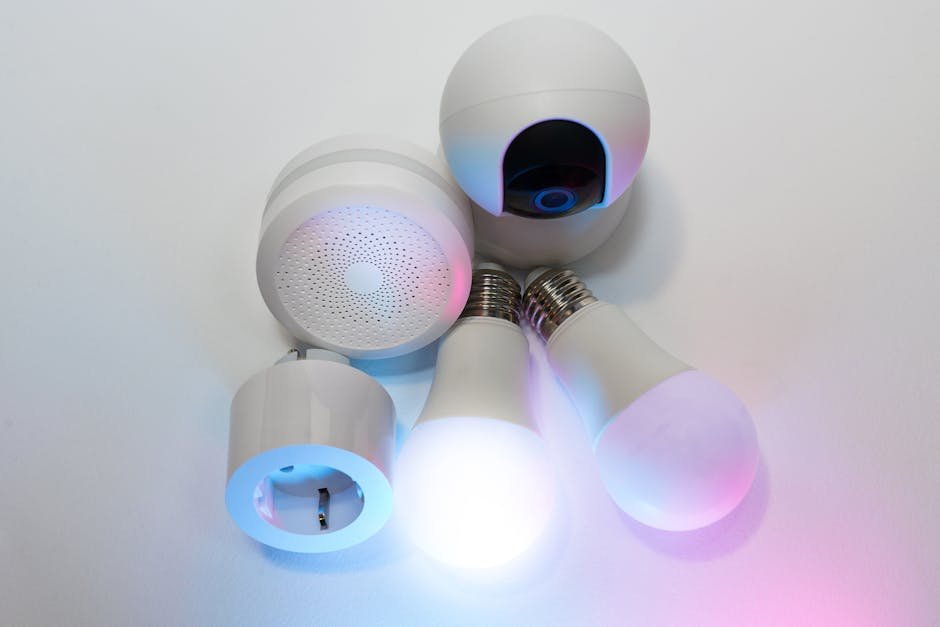
- Devices: These are the smart home devices that are controlled by the Routine. Examples include smart lights, smart plugs, smart thermostats, and compatible appliances.
Crafting Energy-Saving Alexa Routines: Practical Examples
Here are several ready-to-use Routine ideas, along with detailed instructions and considerations for optimization:
1. The “Goodbye House” Routine: This Routine activates when you leave home, ensuring no energy is wasted.
- Trigger: Location-based (when you leave a defined area around your home). To set this up, you’ll need to enable location permissions for the Alexa app and define your home address.
- Actions:
- Turn off all smart lights. (Ensure all frequently used lights are connected to smart bulbs or smart plugs controlling lamps).
- Set smart thermostat to a lower (heating) or higher (cooling) temperature, depending on the season. Aim for a setback of 5-10 degrees Fahrenheit for optimal savings.
- Turn off smart plugs connected to entertainment systems (TV, soundbar, gaming consoles), as these often draw power even when “off.”
- Optionally, lock smart locks for enhanced security.
- Optimization: Review and refine this routine regularly. Add more devices to the Routine as your smart home ecosystem expands. Consider using temperature sensors to adjust the setback temperature based on outdoor conditions.
2. The “Goodnight” Routine: This Routine prepares your house for sleep and minimizes overnight energy consumption.
- Trigger: Voice command (“Alexa, goodnight”) or scheduled time (e.g., 10:00 PM).
- Actions:
- Turn off all lights except for bedside lamps or nightlights (configured with warm, low-wattage bulbs).
- Lower the thermostat by a few degrees (especially beneficial during sleeping hours).
- Play relaxing ambient sounds (optional, but can promote better sleep and mask environmental noise).
- Turn off the TV if it’s still on.
- Optimization: Customize the lighting settings based on individual preferences. If you have a white noise machine, consider integrating it into the Routine via a smart plug.
3. The “Sunrise Simulation” Routine: This Routine gradually increases light intensity in the morning, mimicking natural sunlight and potentially reducing reliance on electric lights.
- Trigger: Scheduled time (e.g., 6:00 AM).
- Actions:
- Gradually increase the brightness of smart lights in the bedroom over a set period (e.g., 30 minutes). Start with a low color temperature (warm white) and gradually increase it towards a cooler, more daylight-like hue.
- Optionally, play gentle music or nature sounds.
- Optimization: Experiment with different color temperatures and brightness levels to find what works best for you. Ensure your smart bulbs support dimming and color temperature adjustment. This can be combined with a “Good Morning” routine that announces the weather and news after the lights have fully brightened.
4. The “Motion-Activated Lighting” Routine (Occupancy-Based Lighting): This Routine only turns on lights when motion is detected, preventing unnecessary illumination in unoccupied areas.
- Trigger: Motion sensor detection (requires a compatible motion sensor connected to Alexa).
- Actions:
- Turn on the light(s) in the specified area (e.g., hallway, bathroom, pantry).
- Add a “wait” action to keep the light on for a certain duration (e.g., 5 minutes) after motion is no longer detected.
- Turn off the light(s) after the wait period expires.
- Optimization: Fine-tune the “wait” duration to match typical usage patterns. Install multiple motion sensors for comprehensive coverage. Be mindful of pets potentially triggering the sensors and adjust sensitivity accordingly.
5. The “Energy Usage Notification” Routine: This Routine sends you notifications if certain devices are left on for extended periods, prompting you to take action.
- Trigger: Device state (e.g., if a smart plug connected to a space heater has been on for more than 2 hours).
- Actions:
- Send a notification to your Alexa app.
- Optionally, play an announcement on Echo devices (“The space heater has been on for two hours”).
- Optimization: Regularly review your energy usage and identify devices that tend to be left on unnecessarily. This routine acts as a reminder to manually turn off these devices and prevent energy waste.
Advanced Strategies for Maximum Impact
- Energy Monitoring and Reporting: Integrate Alexa with energy monitoring devices or services to track your electricity consumption in real-time. Some smart plugs provide detailed energy usage data, which can be accessed through the Alexa app or third-party integrations. Use this data to identify areas for improvement and refine your Routines.
- Thermostat Scheduling Integration: Many smart thermostats offer advanced scheduling capabilities. Leverage these features in conjunction with Alexa Routines to create a comprehensive temperature management plan that optimizes energy efficiency while maintaining comfort.
- Season-Specific Routines: Adjust your Routines based on the season to account for changing weather conditions and daylight hours. For example, in the summer, you might want to focus on minimizing air conditioning usage and maximizing natural light.
- Sunset/Sunrise Based Adjustments: Use online APIs that integrate sunset and sunrise times into routines. The time of sunset can trigger lights turning on, and sunset plus a specific number of hours could trigger the “Goodnight” routine. This removes the need to manually adjust scheduled times throughout the year.
- Device Grouping: Group similar smart devices together in the Alexa app to simplify Routine creation. For example, you can create a group called “Living Room Lights” and control all the lights in that room with a single action in your Routine.
Troubleshooting and Best Practices
- Connectivity Issues: Ensure all your smart devices are properly connected to your Wi-Fi network. Check the Alexa app for any error messages or connectivity problems.
- Routine Conflicts: Avoid creating conflicting Routines that might trigger unexpected behavior. Carefully review your Routines and ensure they are logically consistent.
- Privacy Considerations: Be mindful of the data collected by your smart home devices and adjust your privacy settings accordingly.
- Regular Maintenance: Periodically review and update your Routines to ensure they are functioning correctly and meeting your current needs.
- Experimentation: Don’t be afraid to experiment with different Routine configurations to find what works best for your lifestyle and energy-saving goals. The key is to find the right balance between automation, convenience, and energy efficiency.